
Spycraft InstructionsUpdated a month ago
How to Download Spycraft
Spycraft launched Tuesday, January 27th at 10:30 AM ET.
- Make sure your Board is connected to Wi-Fi
- Restart your Board
- Scroll to Spycraft and Astrofort in the Library — you should see a Download button
- Tap Download and wait up to 10 minutes for the games to download. Then start playing!
Where to Find Tutorial
Spycraft doesn’t have one single tutorial. Instead, each puzzle includes its own instructions and hints to guide you as you play.
During a puzzle, you can use the on-screen icons to get help:
Hand icon: Get hints for the current puzzle
Spy kit icon: See which pieces you need to use
Chat bubble with arrow: Replay the last voice instruction
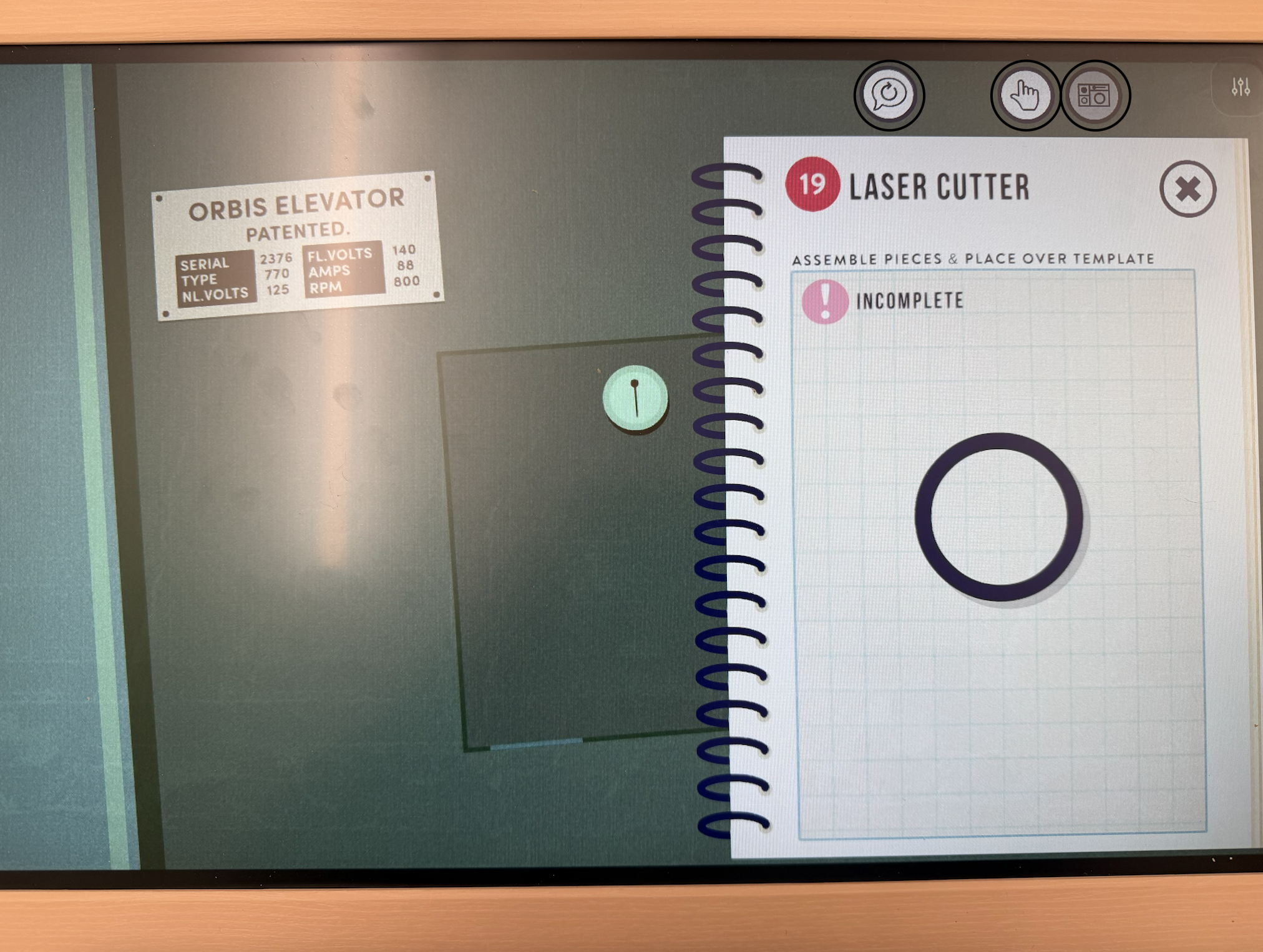
Assembling Your SpyKit
Make sure that your all pieces -- including the black inner pieces -- are all laying flat on the display. If the bottom of any of your pieces is not touching the display, they won't be recognized. If you have any trouble, please double check that your white frames aren't upside down!
During each puzzle, you will need to reassemble your spykit! You can tap the Spykit icon (shown in the image above) for an image of the correct assembly for each puzzle.
Tips & Tricks
If you’d like a full walkthrough, you can watch a complete Spycraft playthrough and answer guide below. Note: This includes spoilers for all puzzles and locations.
New York
Dominica
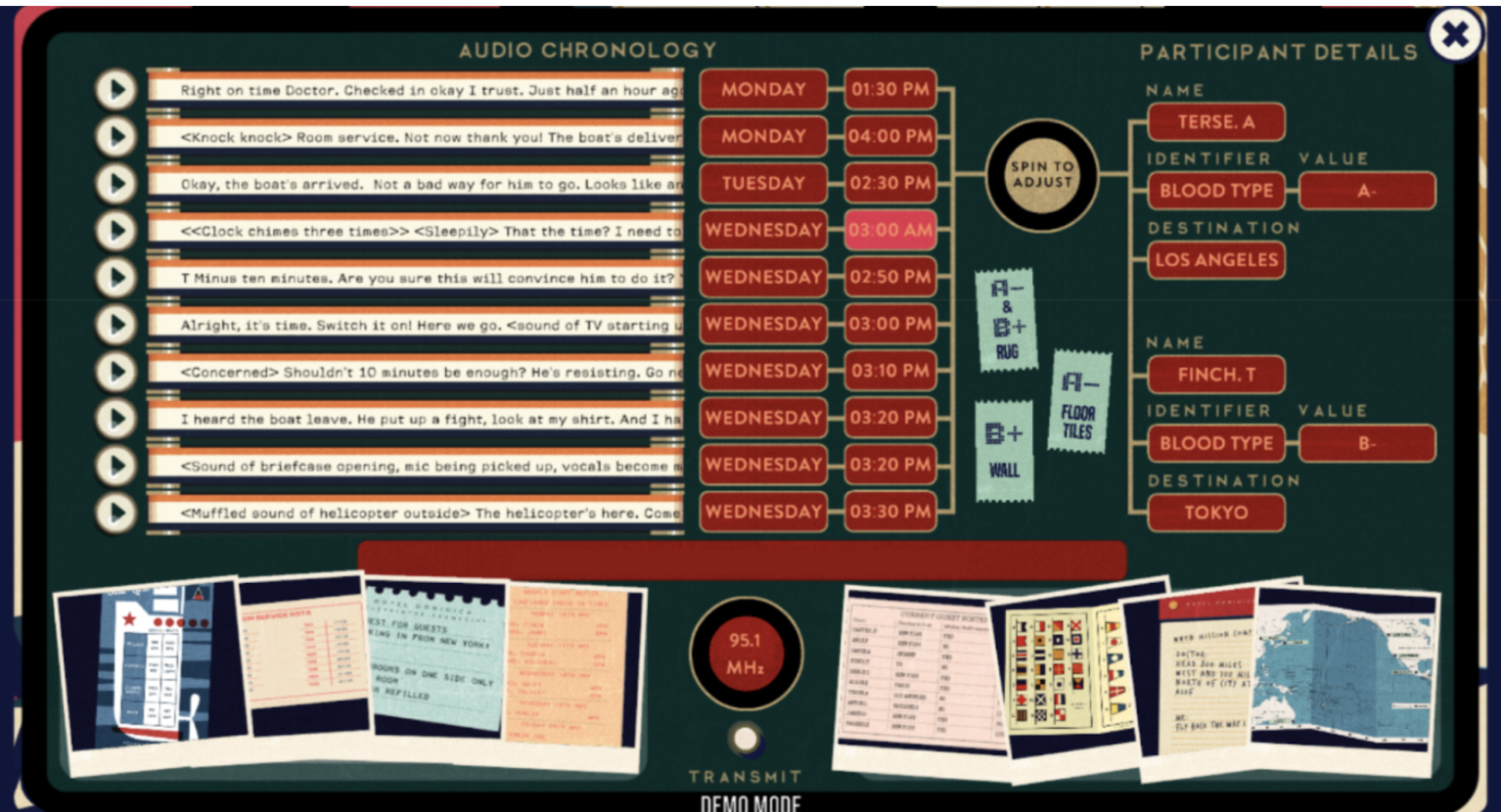
"The audio recordings are between Dr. Finch and Terse, the enemy agent. Terse's blood type is A-, and his destination is Los Angeles. Finch's blood is B-, and he was headed to Tokyo. The recordings start Monday at 1:30pm when the doctor shows up, and end Wednesday at 3:30pm when the helicopter arrives."
Tokyo
Alaska
London
Revisit