
Signal & Switch FAQsUpdated 2 hours ago
Overview
Take control of the city and keep traffic moving! Place and rotate arrow pieces to guide taxis, delivery bikes, buses, and more through busy city streets. Plan clever routes, avoid collisions, and complete each shift's objectives before you run out of time or moves.
Explore five unique districts, unlock over 20 vehicles, and put your strategy skills to the test. Play solo or team up with up to six players!
How do I access the game?
Your Board may need a quick update before playing Signal & Switch!
The game requires being on OS 2.5.3 or later, so you must update your Board to download the game. Please follow these steps:
Connect to Wi-Fi
Update your Board:
Go to Settings (top-right) > System > Check for Updates.
Don't see an update option? Wait 30 min for the update to download in the background. You won't see a progress bar or any on-screen indication that the download is happening, and you can continue using your Board during this time.
Restart your Board
Confirm it's running firmware version 2.5.3 or later (Settings > System).
Open your Library, scroll to Heist, download and play!
How to find your game download code:
If you purchased Signal & Switch on board.fun, you'll need your 8-digit Game Download Code to download the game to your Board.
Your code was sent to the email address used at checkout in an email titled "Your Game Download Codes." You can also visit board.fun/codes and log in with the email address used at checkout to find your download codes at any time.
Your game pieces will ship separately. Pieces are required to play Signal & Switch.
Note: If you purchased the Fall Collection, you'll receive one download code that unlocks all three games: Signal & Switch, Ants Go Marching, and Magic Shop.
Having trouble? Email [email protected] for additional assistance.
What You Need
The Signal & Switch piece set (6 pieces) – includes: (6) assorted-color arrows
.png)
How to Play
Tutorial
Signal & Switch has an interactive tutorial that teaches you how to play as you go!
You'll learn how to place and rotate arrow pieces, guide vehicles to their destinations, complete objectives, and avoid collisions.
To replay the tutorial, select Play Tutorial from the game's main menu.
You can also review the game's rules, vehicles, and districts at any time by opening the Menu (upper-right) > How to Play.
The Goal
Your job is to keep the city moving!
Each round, also called a shift, gives you a set of vehicles with specific objectives. You might need to park cars, pick up taxi passengers, deliver pizzas, or complete other tasks around the city.
Use your arrow pieces to guide vehicles through the streets and get them where they need to go.
To win a shift, complete all objectives before you run out of time or moves.
Placing and Rotating Arrow Pieces
Players place physical arrow pieces at intersections to control the direction vehicles travel.
Place an arrow at an intersection to direct traffic.
Rotate an arrow to change the direction vehicles travel.
Plan ahead to guide vehicles toward their destinations and avoid collisions.
Each time you place an arrow at an intersection, your move counter decreases by one.
Rotating an arrow that's already in place does not use a move!
Keep an eye on your remaining moves, especially as more vehicles enter the streets.
Avoiding Collisions
Watch out for oncoming traffic!
All streets are single-lane, so vehicles traveling toward one another can collide if you don't redirect them.
Use your arrows to guide vehicles safely through intersections and prevent crashes.
Completing a Shift
Each shift has a set of vehicle objectives, along with time and move limits.
Your remaining time and moves are displayed along the sides of the game screen. Vehicle icons and counters show your progress toward completing each objective.
To successfully complete a shift, complete all required objectives before either limit runs out.
Once you've completed all the objectives, you can keep playing until you run out of time or moves to earn even more points!
Scoring and High Scores
You earn points for completing vehicle objectives during each shift.
Complete your objectives efficiently and keep playing to earn as many points as possible before your time or moves run out.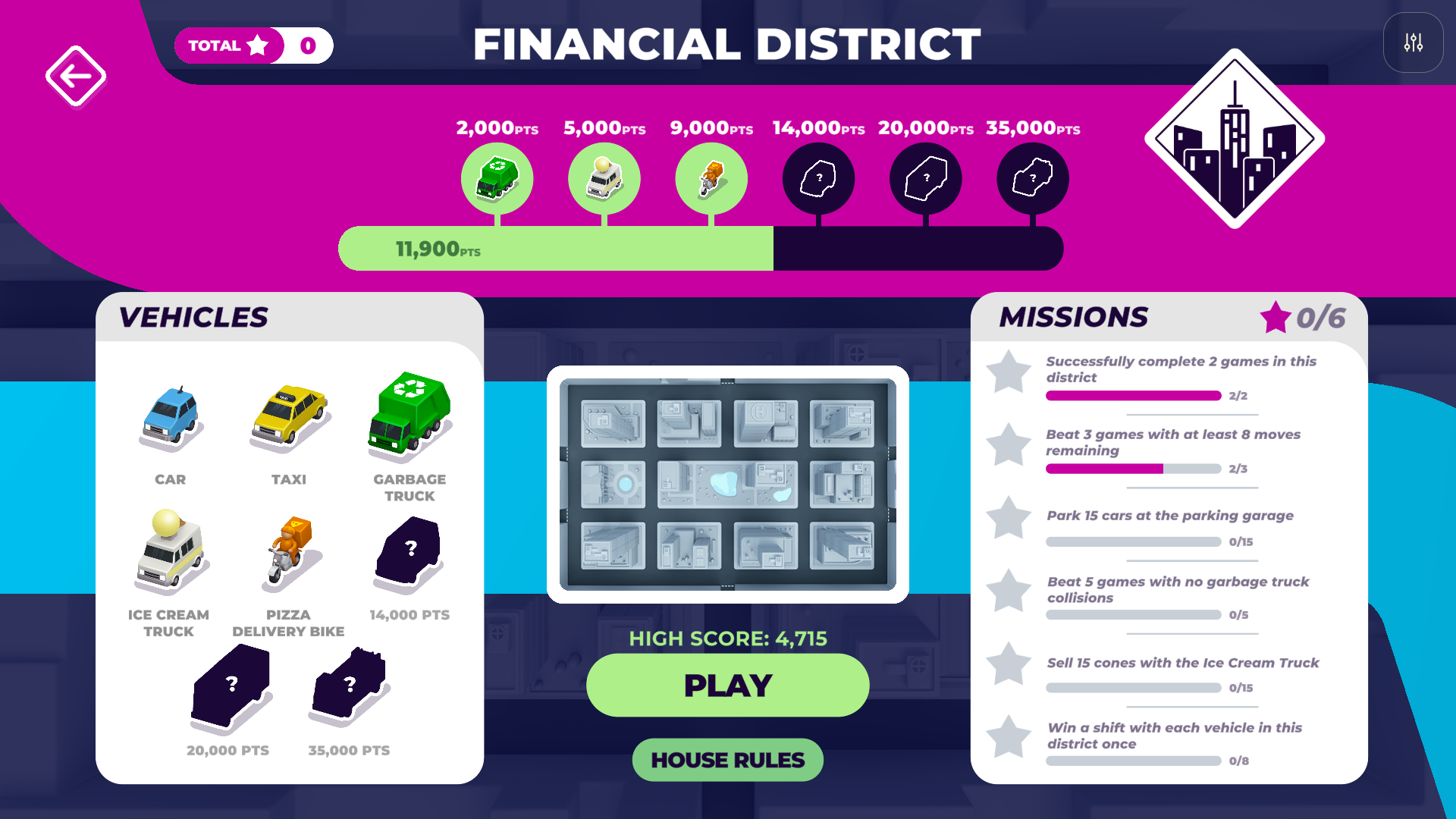
Vehicles and Their Objectives
There are over 20 unique vehicle types in Signal & Switch, each with its own rules and objectives.
Some examples include:
Cars: Guide cars to the parking garage.
Taxis: Pick up passengers and drop them off at their destinations.
Pizza Bikes: Pick up pizzas from the pizzeria and deliver them to customers before the delivery timer expires.
Buses, Garbage Trucks, and Ice Cream Trucks: Complete their own unique tasks around the city.
If a Pizza Bike's delivery timer expires, you'll need to return to the pizzeria for a fresh pizza before trying again.
As you progress, you'll discover even more vehicles with new challenges.
Need help with a vehicle? Tap the [i] icon when you encounter a new vehicle to learn how it works. You can also find instructions for every vehicle by opening Menu (upper-right) > How to Play > Vehicles.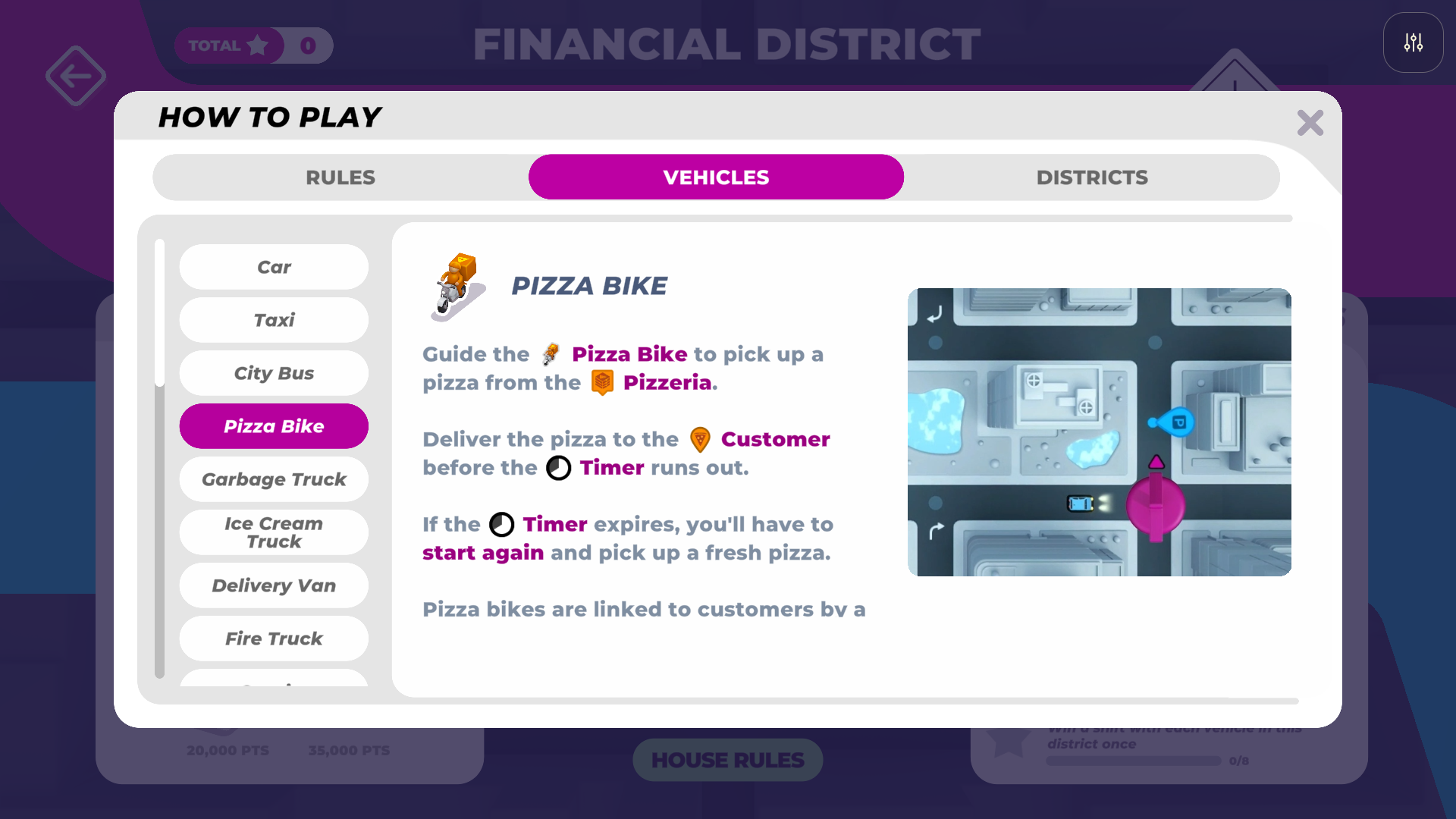
Districts and Progression
There are five unique districts to explore, each with its own road layout, vehicles, and challenges.
Financial District: A downtown grid of busy city streets.
Historic District: Navigate traffic around a central rotary.
Residential District: Explore the suburban streets.
Construction Site: Find your way through winding, makeshift roads.
Riverside District: Navigate across a river using suspension bridges that open and close.
You'll begin in the Financial District and unlock additional districts as you progress.
Earning Stars and Unlocking Districts
Each district has six missions to complete. Completing missions earns stars, which you use to unlock new districts.
Missions might challenge you to win a certain number of shifts, complete games with moves remaining, avoid specific collisions, or complete objectives with different vehicles.
You can view your missions and progress on the district details screen.
Here's how many total stars you need to unlock each district:
District | Stars Required to Unlock |
| Financial District | Unlocked from Start |
| Historical District | 2 |
| Residential District | 6 |
| Construction District | 13 |
| Riverside District | 18 |
Your stars accumulate as you complete missions, helping you work toward unlocking the next district.
Unlocking New Vehicles
You can also unlock new vehicles by earning points within each district!
As you play and earn points, you'll progress toward the next vehicle unlock. Each newly unlocked vehicle brings its own rules and objectives.
You can see your available vehicles, upcoming unlocks, and point milestones on the district details screen.
Remember: Stars unlock new districts, while points unlock new vehicles.
House Rules
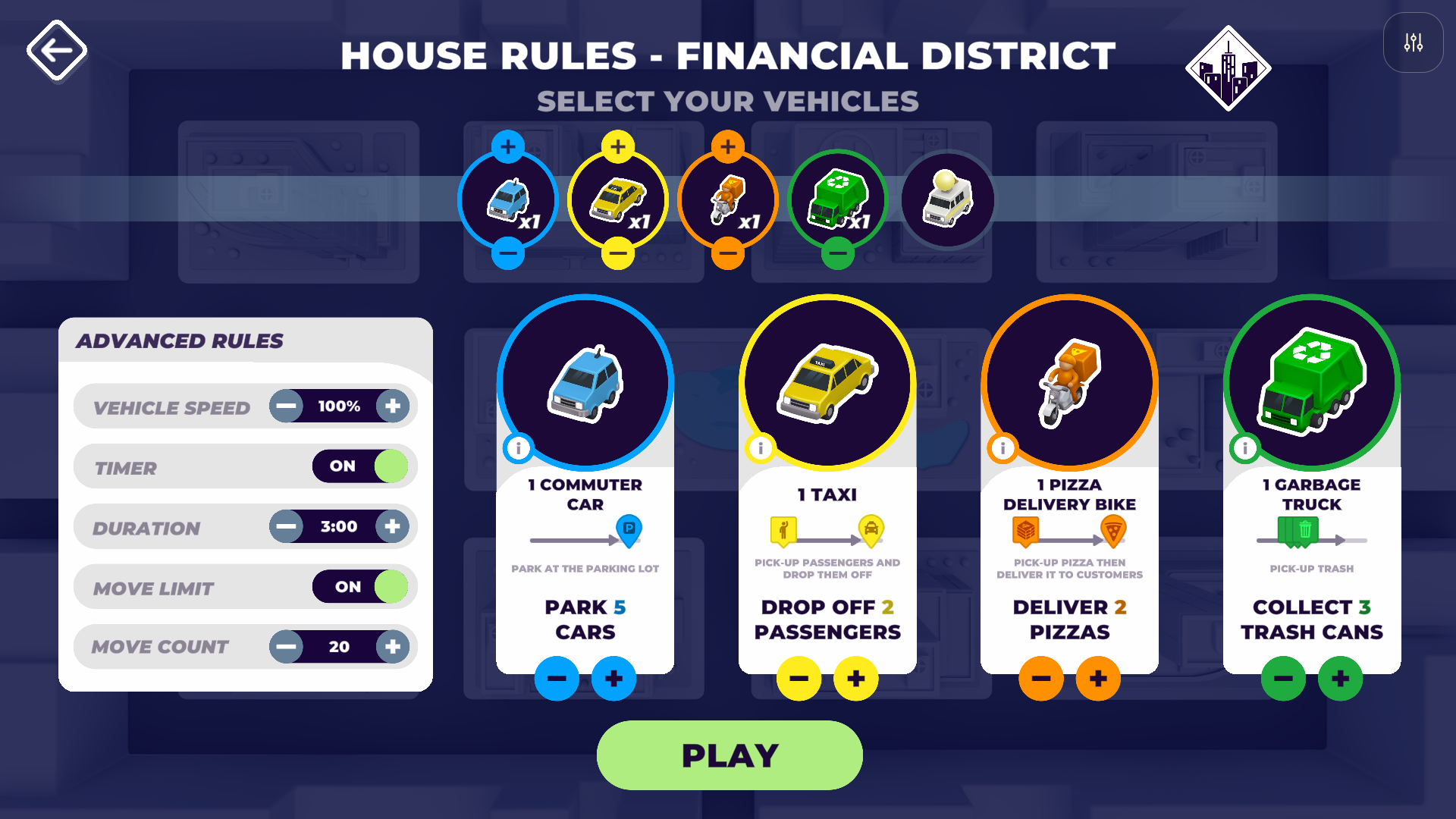
Want to customize your game? Use House Rules to choose your vehicles and adjust the challenge.
You can customize:
Vehicles: Select which available vehicles to include.
Vehicle Speed: Increase or decrease how quickly vehicles travel.
Timer: Turn the shift timer on or off.
Duration: Adjust how long a shift lasts when the timer is enabled.
Move Limit: Turn move restrictions on or off.
Move Count: Adjust how many moves are available when move limits are enabled.
Mix and match the settings to make your game easier, harder, or just a little different!
 Free Play
Want to direct traffic without worrying about completing objectives?
Select Free Play from the main menu for a more relaxed experience, with no timers or objectives.
It's a great way to experiment with different routes and enjoy managing the city's traffic at your own pace.
FAQs
Can I play Signal & Switch solo? Yes! Signal & Switch can be played solo or with up to six players working together to complete each shift's objectives.
Is Signal & Switch competitive or cooperative? Signal & Switch is a cooperative strategy game. Players work together to guide vehicles, avoid collisions, and keep the city moving.
Does placing or rotating an arrow use a move? Placing an arrow at an intersection uses one move. Rotating an arrow that's already in place does not use a move.
Can I play without a timer or move limit? Yes! You can turn off the timer and move restrictions in House Rules. There's also a Free Play mode with no timers or objectives.
Can I make Signal & Switch easier or harder?
Yes! House Rules lets you adjust vehicle speed, shift duration, move count, and other settings to customize the challenge. Yes! You can adjust the House Rules to customize the difficulty and find the right level of challenge.
To make the game easier:
Slow down the vehicles to give yourself more time to plan.
Turn off the timer so there's no pressure to rush.
Increase the move count or turn it off entirely.
Reduce the number of vehicles you need to complete each objective (for example, change "Park 5 Cars" to "Park 1 Car").
To make the game harder:
Increase vehicle speed for a faster-paced challenge.
Shorten the timer or reduce the number of available moves.
Increase the number of vehicles you need to complete each objective.
You can mix and match these settings to find what works best for you!
Want to take the pressure off completely? Try Free Play, where you can direct traffic at your own pace without timers or objectives. It's a great way to practice, experiment with different routes, or just have fun!
Need a hand keeping the city moving? Email us at [email protected] and we'll be happy to help!