
Daily Build InstructionsUpdated a month ago
What is Daily Build?
Daily Build is a daily puzzle game where players use the Board Blocks (same pieces as Strata) to solve three-dimensional puzzles.
To play, players place the indicated blocks on the screen to match the shape shown, making sure to meet the height requirements on each tile.
Each day includes three puzzles: easy, medium, and hard, with new puzzles arriving at midnight local time. Players can also play any unsolved puzzles from previous days.
The game tracks the time it took to complete each puzzle, along with the number of hints used. “Scores” are tracked per-profile, so multiple members of a household can play the puzzles on their separate accounts.
The game also includes an interactive tutorial that teaches you how to play.
How to Download Daily Build
Daily Build launched Tuesday, February 24th at 9 AM ET.
To download Daily Build:
Make sure your Board is connected to Wi-Fi
Restart your Board
Scroll to Daily Build in the Library — you should see a Download button
Tap Download and wait up to 10 minutes for the games to download. Then start playing!
If you don’t see the download option after restarting, please email [email protected].
Getting New Puzzles Each Day
Three new Daily Build puzzles (Easy, Medium, and Hard) are released every day at midnight (local time). The new puzzles will automatically appear in the calendar view of Daily Build.
Where to Find the In-Game Tutorial
Daily Build includes an interactive tutorial accessible from the start page by selecting “How to Play” from the bottom of the main screen.

Tips & Tricks
HINTS FOR PUZZLES
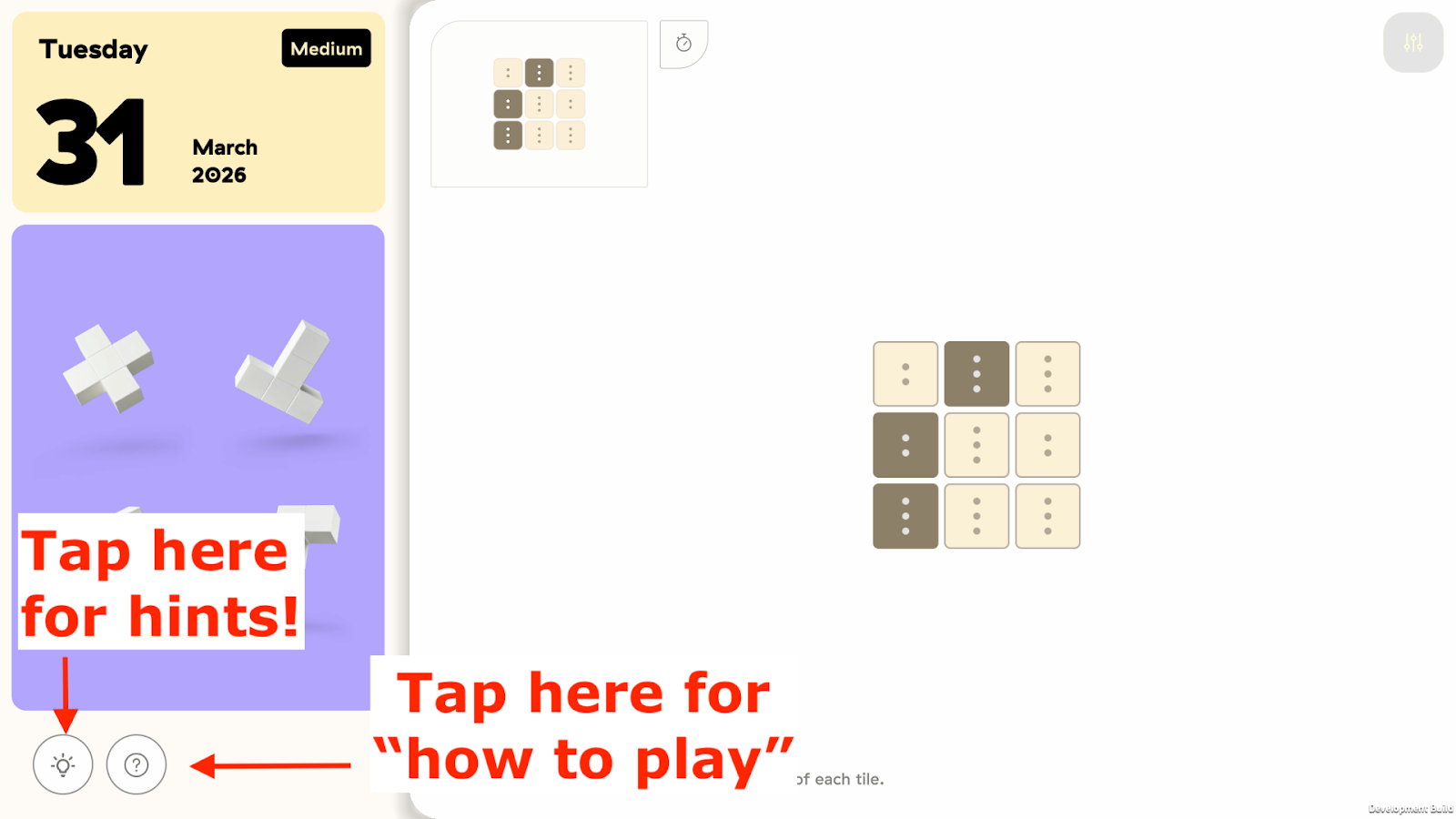
If you’re stuck on a Daily Build puzzle, tap the lightbulb in the bottom left corner while you’re playing. It will show you the correct placement for your first hint. After you place that piece, you can tap the lightbulb again to receive the next hint.
The “?” icon next to the Hint button will also display a brief “How to Play” pop during game play.
MINI PUZZLE GRID VIEW
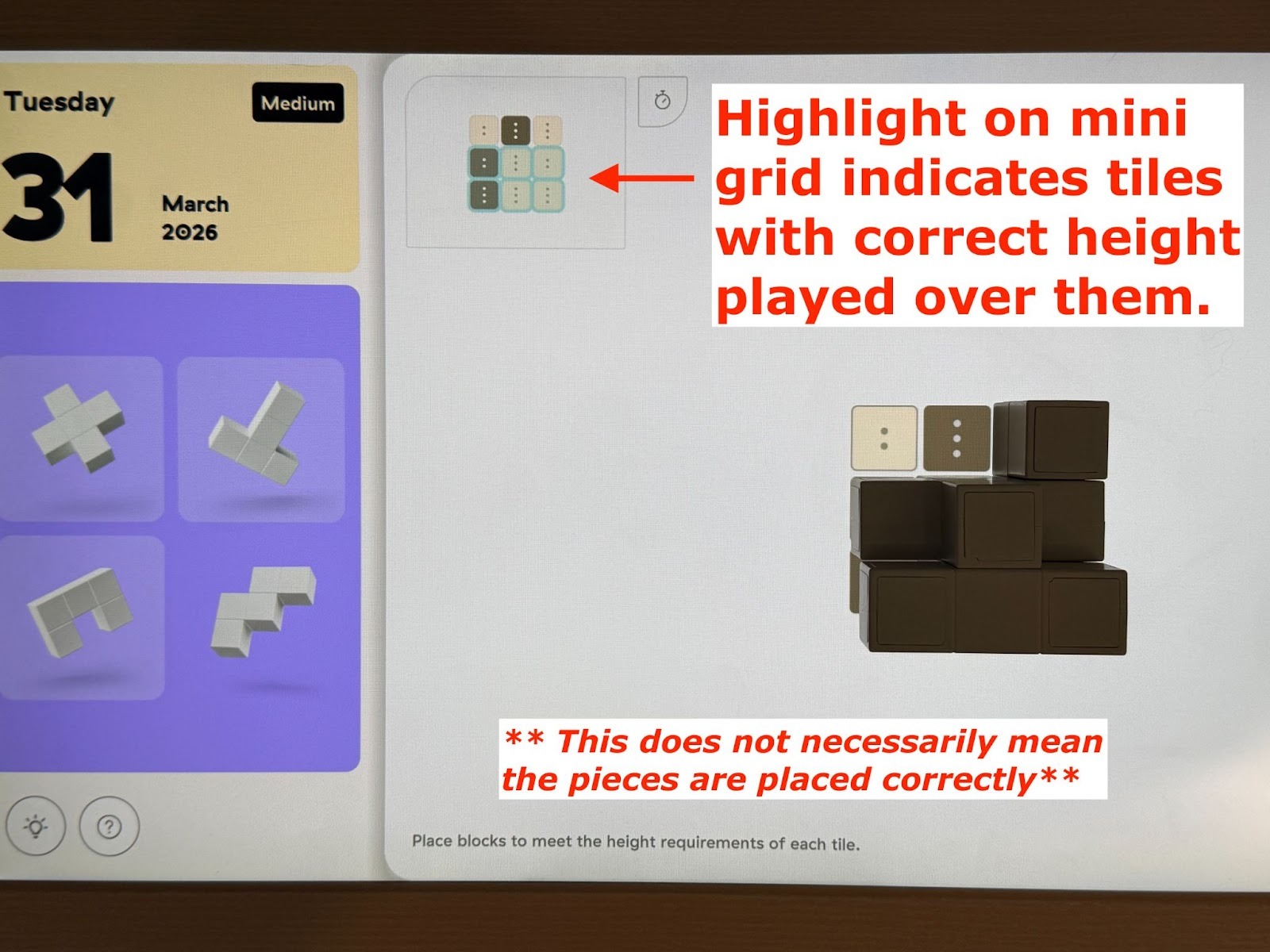
As you play, you’ll see a small version of the full puzzle grid in the top left corner of the screen. This mini grid lets you keep track of the entire layout, even after your blocks start covering parts of the main board. It’s especially helpful when you need to check the required height of a tile that’s no longer visible on the main grid.
When a tile has the correct height placed on it, that tile will appear in a teal shaded highlight on the mini grid. This only confirms that the height is correct. It does not mean the correct block or final arrangement is in the correct place.
PUZZLE GRID BOUNDARIES
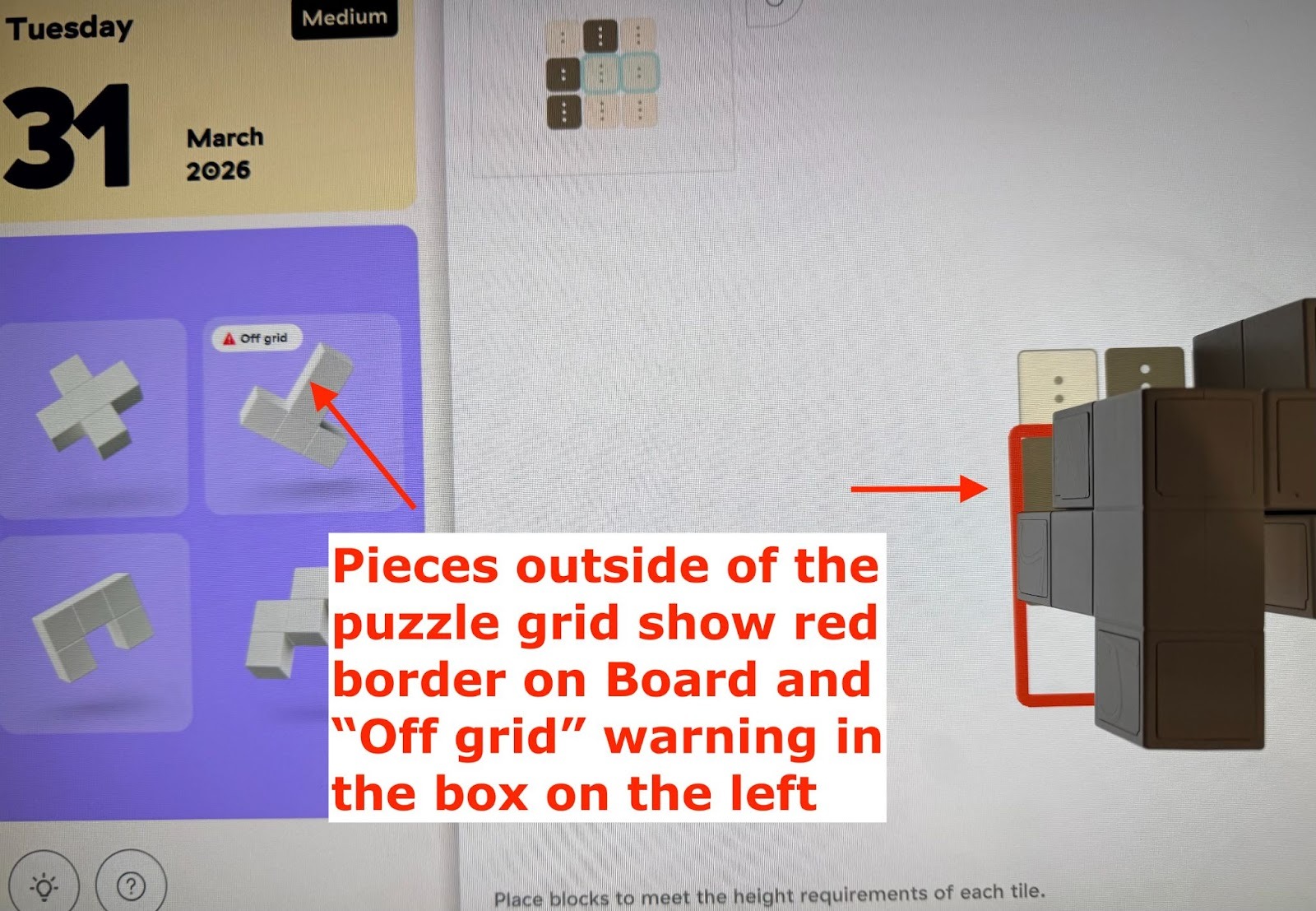
If you place a piece on the grid and part of it extends outside the puzzle boundary, the piece will be highlighted in red on your Board. The purple box that shows the required pieces will also display an “off grid” message next to that piece.
PLAYING PREVIOUS PUZZLES
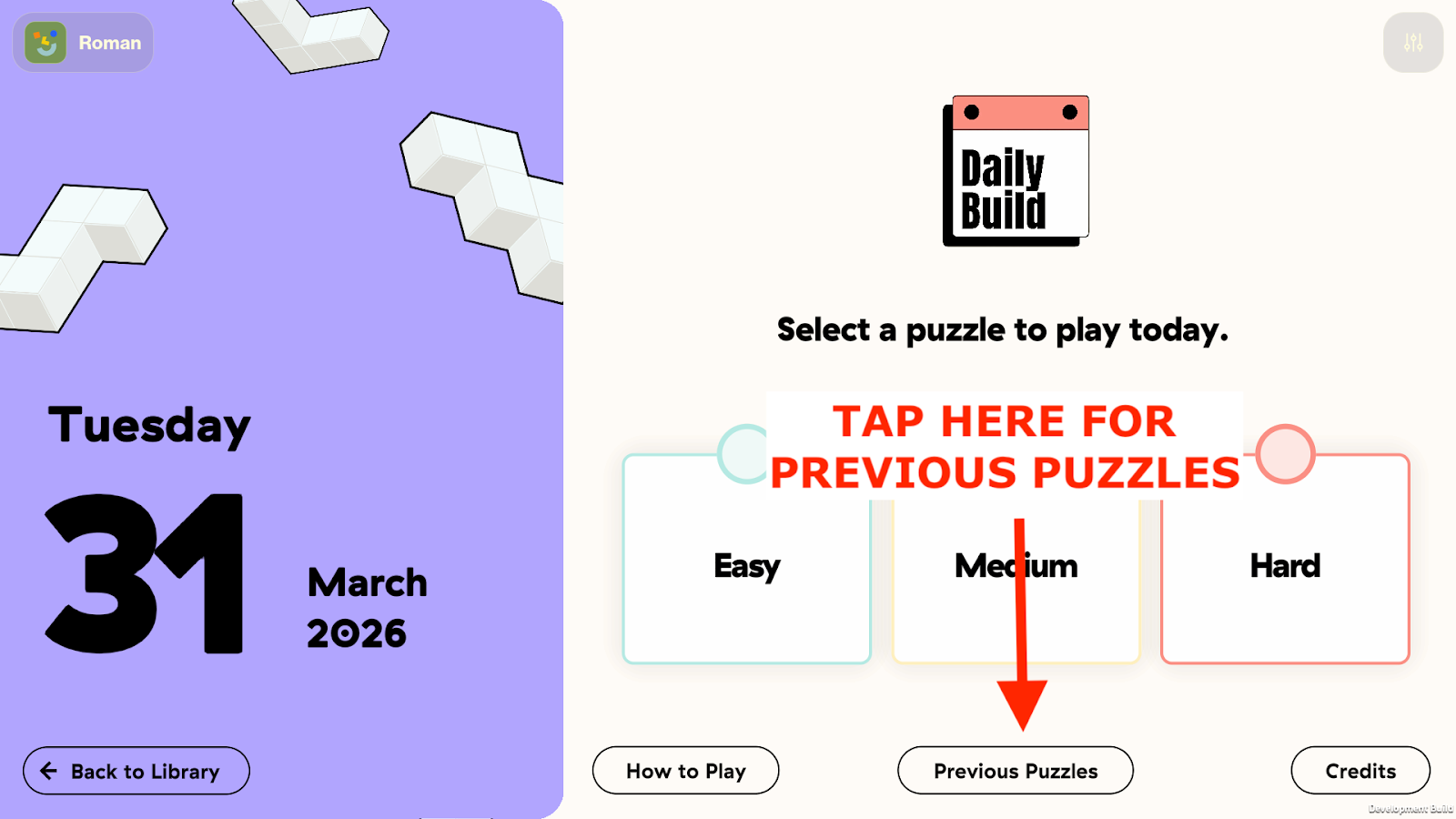
You can play puzzles in Daily Build from any day in the past by navigating to the day of your choosing on the Daily Build calendar.
To play previous puzzles:
From the main page, tap “Previous Puzzles” near the bottom of your Board
Here, you’ll see a calendar for the current month, as well as 3 dots on each date representing the Easy, Medium, and Hard puzzles for that day. Any completed puzzles on a given day will have a badge instead of an empty dot.
To navigate to previous months, tap the arrow above the current month on the left hand side of your Board
Rules
If you want to review rules outside the built-in tutorial, here is a quick rule overview.